Lighter WordPress media. Every original kept.

Downsize finds the heavy images on your site, shrinks them, and keeps every original safe to restore in one click.

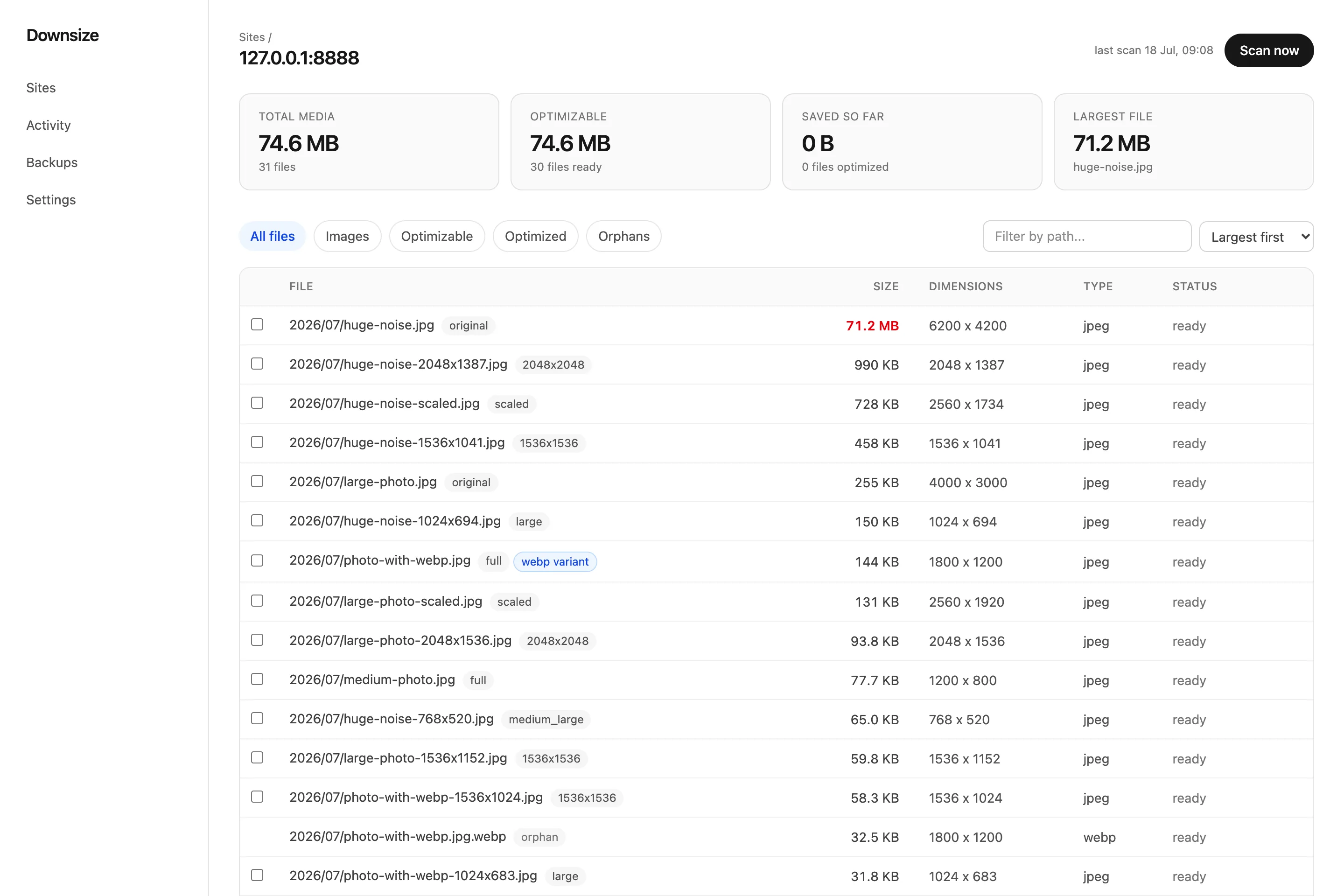
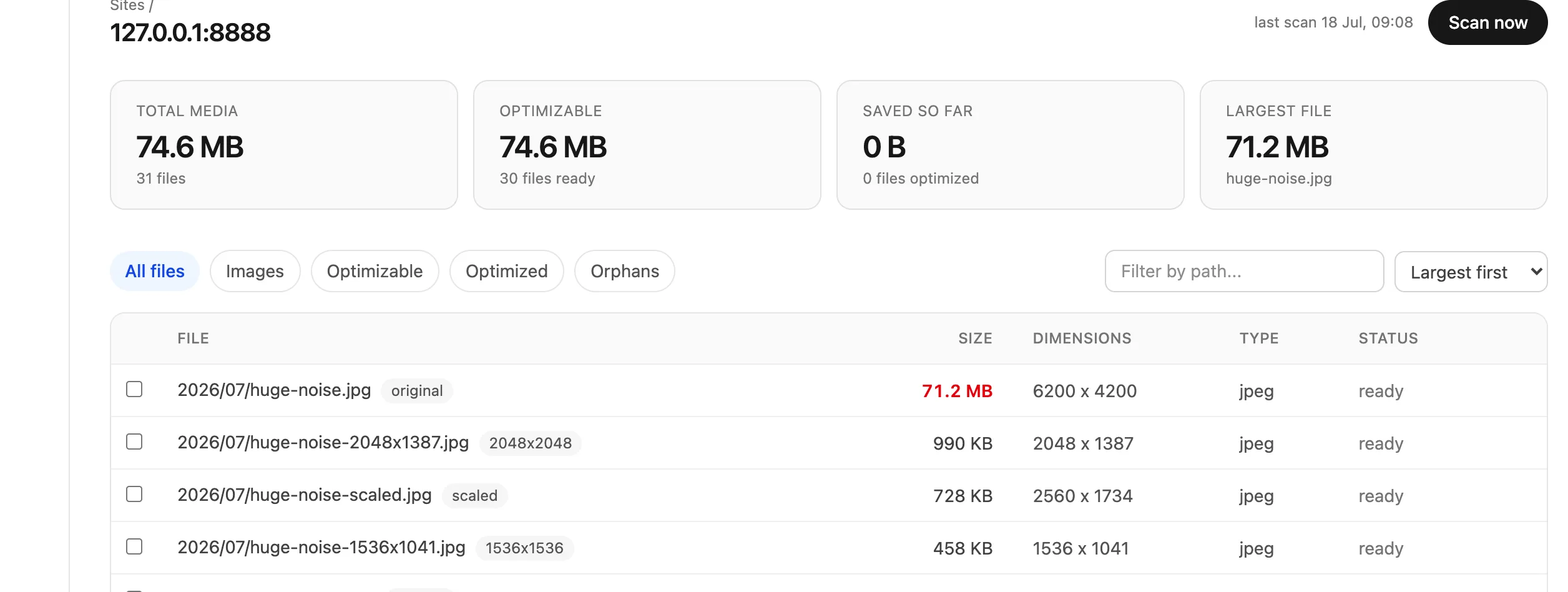
The Downsize dashboard listing every file on a WordPress site by real size, with a 71.2 MB image flagged at the top.
71.2 MB
before
14.9 MB
after · original safe

Built on infrastructure you already trust

WordPress
Imagify engine
Cloudflare
JPEG · PNG · WebP
On-site backups
Off-site copies
Signed requests
Offline restore
How it works

Connect once. See everything. Shrink it safely.

Downsize runs from a dashboard and a lightweight connector plugin on your site. Here is exactly what happens, start to finish.

1

Connect

Install the connector plugin and pair it with a one-time code. No WordPress password ever leaves your site.

Pair this site
H4T2 · 9XKF · Q7DM
ChannelSigned · scoped to uploads
2

Scan

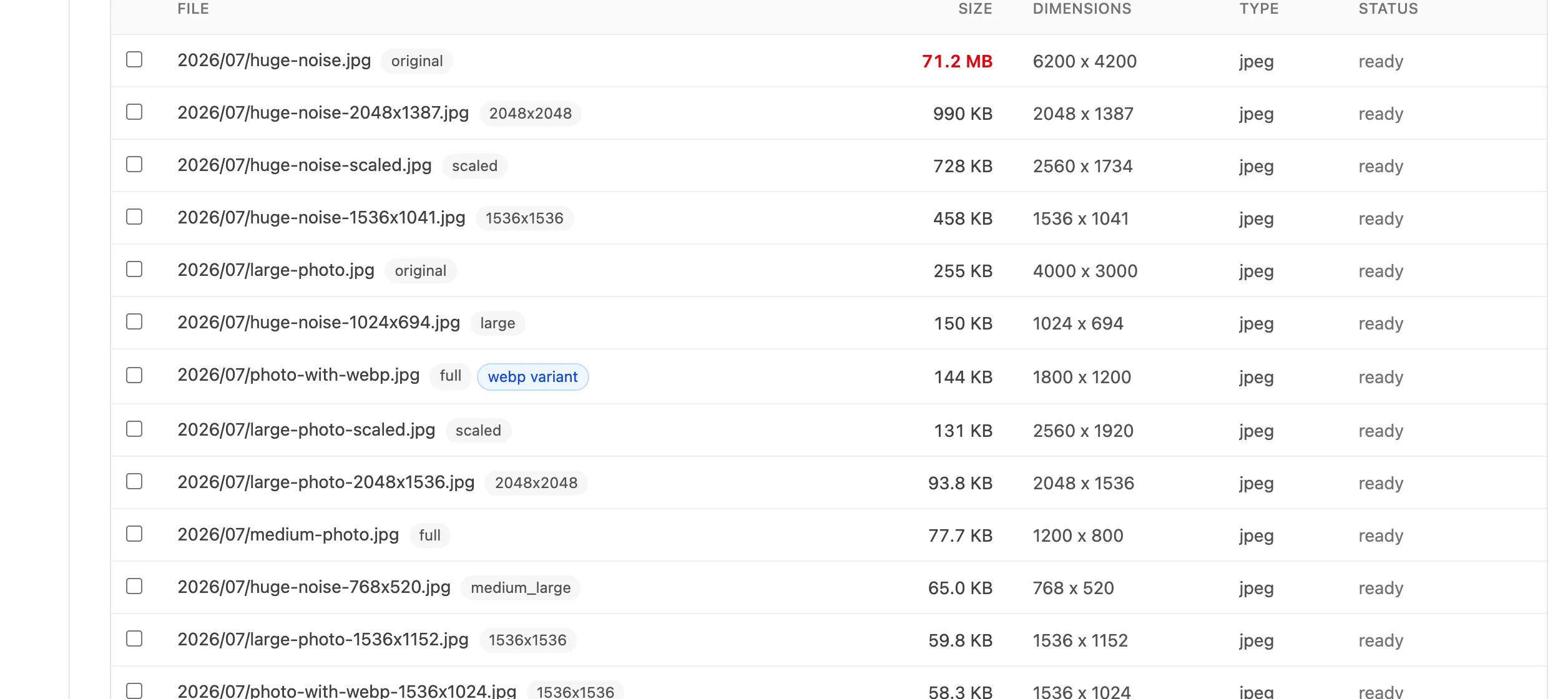
Every file in your media library, listed by real size on disk, heaviest first. It flags what to leave alone.

Largest files
huge-noise.jpg71.2 MB
hero-2019.jpg37.1 MB
team-photo.png22.0 MB
3

Optimize, protected

Each file is backed up, shrunk, verified on disk, and swapped in atomically. Same URL, same dimensions.

huge-noise.jpg
BackupSaved · checksum ok
Result71.2 MB14.9 MB
RestoreOne click, any time
The scan

See every file at its real size.

Most WordPress libraries are full of images nobody ever optimized. One upload can be 40 MB. Downsize reads the actual bytes on disk and sorts the heavy ones to the top.

  • Heaviest first. The 71 MB monster hiding in 2019's uploads surfaces in seconds.
  • Knows what to skip. Animated GIFs, files other plugins own, anything offloaded.
  • Savings before you commit. See what each file will roughly save before optimizing.
Downsize media table sorted by size, largest file first.
The promise

Nothing is ever lost. Nothing is ever broken.

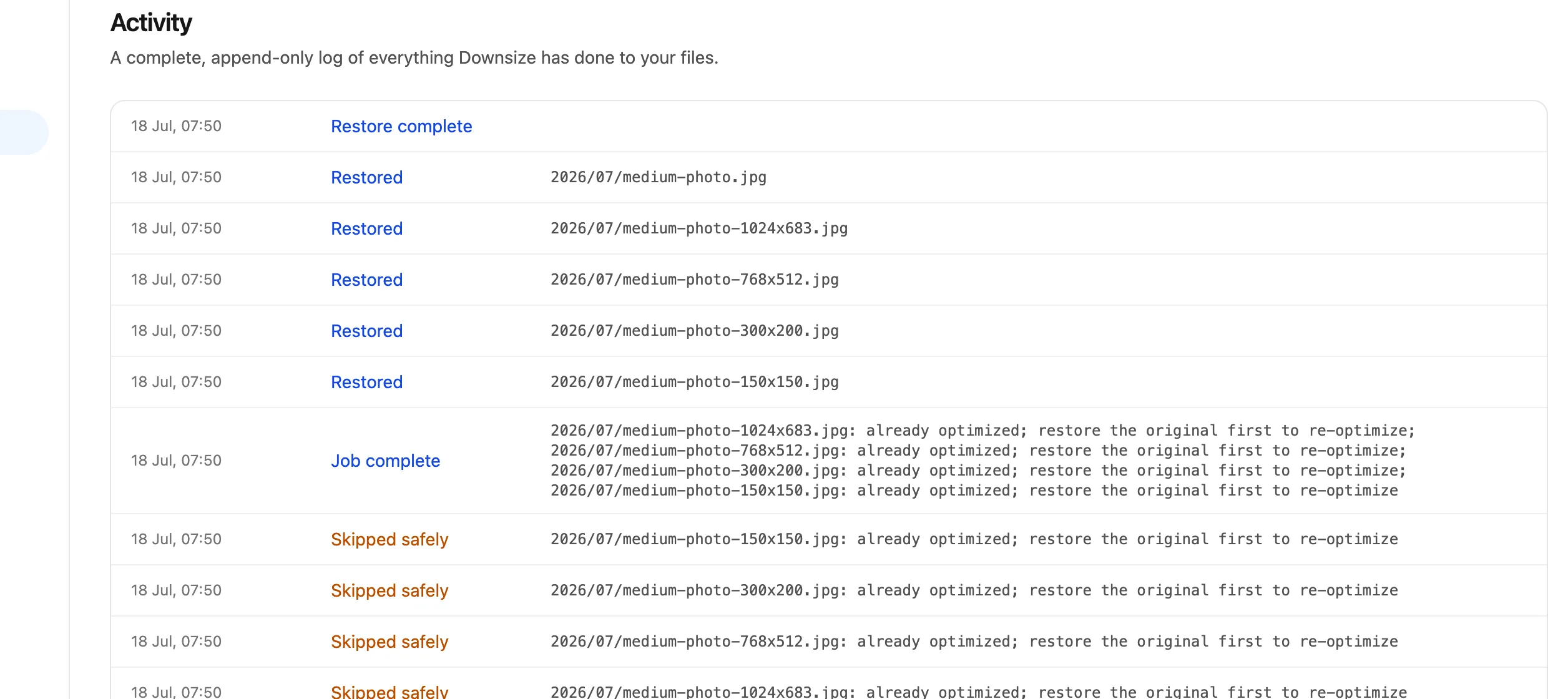
Optimizing means overwriting files on a live site. That is only safe if the original is always recoverable. So every job follows the same order, and it never skips a step.

1 · Back up first

The original is copied to a protected folder and checksum-verified before anything else runs.

2 · Replace atomically

The smaller file is written to a temp file, verified, then swapped in with a single atomic rename.

3 · Verify on disk

Downsize re-reads the live file and confirms the bytes and dimensions are exactly what it expected.

Always · Restore

The exact original comes back byte for byte, on-site or from off-site copies, whenever you want it.

71.2 MB 14.9 MB

A real photo on a live WordPress site. 79% lighter, and the original came back byte for byte when we restored it.

  • Dimensions unchanged. 6200 x 4200 before and after. No layout shift.
  • Original preserved on the server, verified by checksum.
  • Restored perfectly. The recovered file matched the original hash exactly.
  • Works without us. Restore from your own wp-admin, even offline.
Your safety net

Every original, one click away.

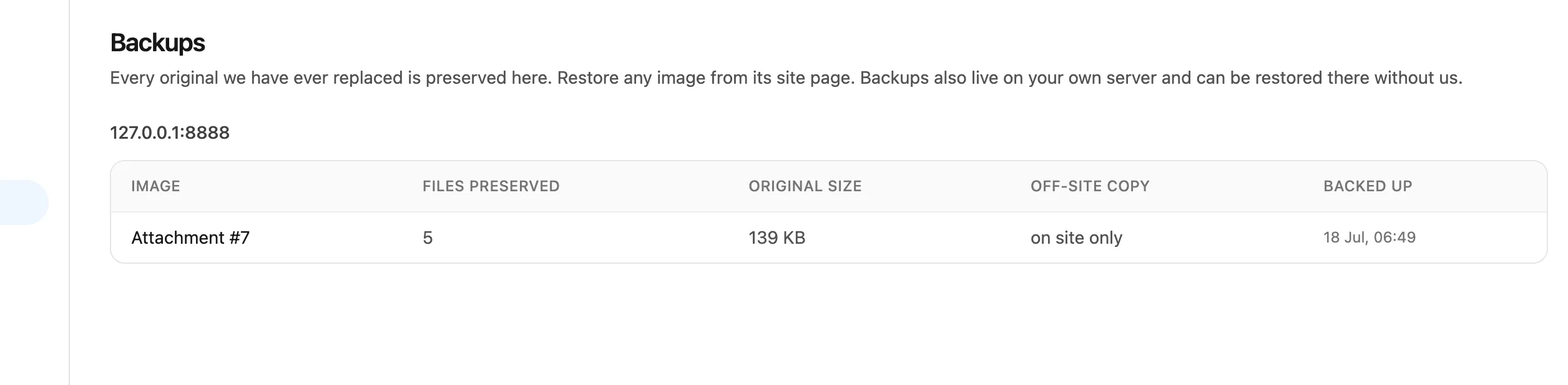
Browse every backup Downsize has taken, restore a single file or a whole batch, and keep optional off-site copies. The backup manifest lives on your server, so restore works even if Downsize is unreachable.

  • On-site always. Originals stay on your server in a protected folder.
  • Off-site optional. Add encrypted cloud copies for belt and suspenders.
  • Kept as long as you choose. Retention is your call, forever by default.
The Downsize backups browser with per-file restore.
Pricing

Start free. Grow when you are ready.

Every plan includes the full safety system: on-site backups, checksum-verified replacement, and one-click restore.

Free

Try it on one site and see what a scan finds.

$0 /mo
no card required
Start free
Includes:
  • 1 connected site
  • 25 optimizations a month
  • On-site backups and restore

Agency

Run it across your whole client portfolio.

$79 /mo
billed monthly
Choose Agency
Includes:
  • 50 connected sites
  • 20,000 optimizations a month
  • Off-site copies included
  • Everything in Pro

Find out how heavy your site really is.

Connect a site, run a scan, and see every original size in a couple of minutes. The first optimizations are free.

Install the connector, open Settings › Downsize, paste your pairing code, and you are connected.